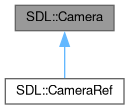
The opaque structure used to identify an opened SDL camera. More...
Public Member Functions | |
| constexpr | Camera (std::nullptr_t=nullptr) noexcept |
| Default ctor. | |
| constexpr | Camera (const CameraRaw resource) noexcept |
| Constructs from CameraParam. More... | |
| constexpr | Camera (Camera &&other) noexcept |
| Move constructor. | |
| constexpr | Camera (const CameraRef &other)=delete |
| constexpr | Camera (CameraRef &&other)=delete |
| Camera (CameraID instance_id, OptionalRef< const CameraSpec > spec={}) | |
| Open a video recording device (a "camera"). More... | |
| ~Camera () | |
| Destructor. | |
| constexpr Camera & | operator= (Camera &&other) noexcept |
| Assignment operator. | |
| constexpr CameraRaw | get () const noexcept |
| Retrieves underlying CameraRaw. | |
| constexpr CameraRaw | release () noexcept |
| Retrieves underlying CameraRaw and clear this. | |
| constexpr auto | operator<=> (const Camera &other) const noexcept=default |
| Comparison. | |
| constexpr | operator bool () const noexcept |
| Converts to bool. | |
| constexpr | operator CameraParam () const noexcept |
| Converts to CameraParam. | |
| void | Close () |
| Use this function to shut down camera processing and close the camera device. More... | |
| CameraPermissionState | GetPermissionState () |
| Query if camera access has been approved by the user. More... | |
| CameraID | GetID () |
| Get the instance ID of an opened camera. More... | |
| PropertiesRef | GetProperties () |
| Get the properties associated with an opened camera. More... | |
| std::optional< CameraSpec > | GetFormat () |
| Get the spec that a camera is using when generating images. More... | |
| CameraFrame | AcquireFrame (Uint64 *timestampNS=nullptr) |
| Acquire a frame. More... | |
| void | ReleaseFrame (CameraFrame &&lock) |
| Release a frame of video acquired from a camera. More... | |
Protected Member Functions | |
| constexpr | Camera (const Camera &other) noexcept=default |
| Copy constructor. | |
| constexpr Camera & | operator= (const Camera &other) noexcept=default |
| Assignment operator. | |
Detailed Description
Constructor & Destructor Documentation
◆ Camera() [1/2]
|
inlineexplicitconstexprnoexcept |
- Parameters
-
resource a CameraRaw to be wrapped.
This assumes the ownership, call release() if you need to take back.
◆ Camera() [2/2]
|
inline |
You can open the device with any reasonable spec, and if the hardware can't directly support it, it will convert data seamlessly to the requested format. This might incur overhead, including scaling of image data.
If you would rather accept whatever format the device offers, you can pass a nullptr spec here and it will choose one for you (and you can use Surface's conversion/scaling functions directly if necessary).
You can call Camera.GetFormat() to get the actual data format if passing a nullptr spec here. You can see the exact specs a device can support without conversion with GetCameraSupportedFormats().
SDL will not attempt to emulate framerate; it will try to set the hardware to the rate closest to the requested speed, but it won't attempt to limit or duplicate frames artificially; call Camera.GetFormat() to see the actual framerate of the opened the device, and check your timestamps if this is crucial to your app!
Note that the camera is not usable until the user approves its use! On some platforms, the operating system will prompt the user to permit access to the camera, and they can choose Yes or No at that point. Until they do, the camera will not be usable. The app should either wait for an EVENT_CAMERA_DEVICE_APPROVED (or EVENT_CAMERA_DEVICE_DENIED) event, or poll Camera.GetPermissionState() occasionally until it returns non-zero. On platforms that don't require explicit user approval (and perhaps in places where the user previously permitted access), the approval event might come immediately, but it might come seconds, minutes, or hours later!
- Parameters
-
instance_id the camera device instance ID. spec the desired format for data the device will provide. Can be std::nullopt.
- Postcondition
- an Camera object on success..
- Exceptions
-
Error on failure.
- Thread safety:
- It is safe to call this function from any thread.
- Since
- This function is available since SDL 3.2.0.
- See also
- GetCameras
- Camera.GetFormat
The documentation for this class was generated from the following file:
- SDL3pp/SDL3pp_camera.h